

Getting a pay rise is always worth celebrating. However, a percentage increase can be hard to picture in pounds. A pay raise calculator makes the maths much easier.
You can enter your current salary and the percentage increase to estimate your new pay. You can also see how much extra you could earn each year or month.
This guide explains how a pay raise calculator works. It also shows the simple formula behind the result. Whether you have received a 3%, 5%, 10%, or another increase, you can quickly work out what your new salary could be.
What Is a Pay Raise Calculator?
A pay raise calculator is a simple tool that calculates a new salary after a pay increase. You normally enter your current pay and the percentage of the raise.
The calculator then works out the extra amount and adds it to your current salary. The result shows your estimated new gross pay.
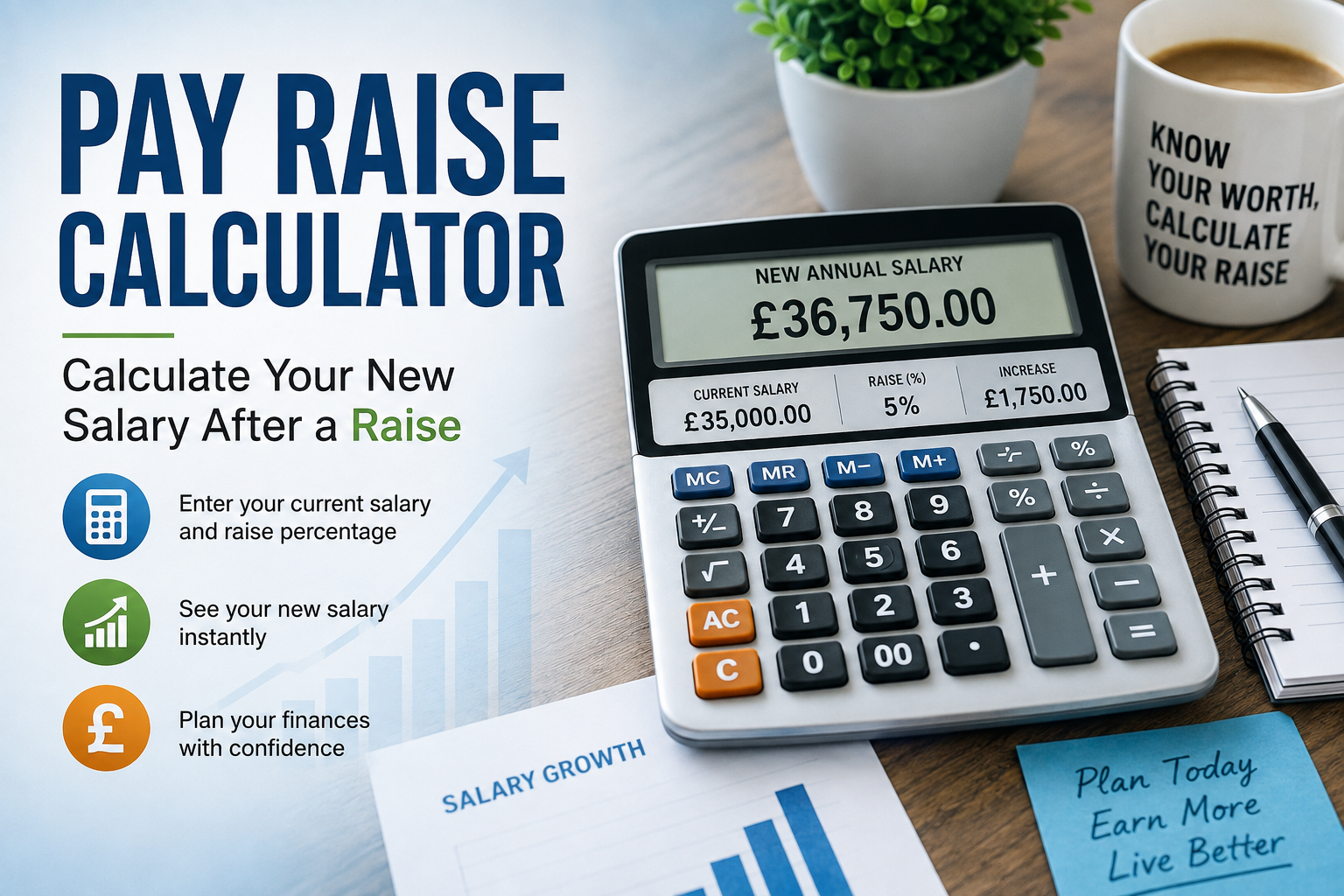
For example, imagine you earn £35,000 a year and receive a 5% pay rise. The increase is £1,750. Your new annual salary would therefore be £36,750.
This calculation uses gross salary. Your actual take-home pay may change by a different amount because income tax, National Insurance, pension contributions, student loan payments, and other deductions can affect your net pay.
How Does a Pay Raise Calculator Work?
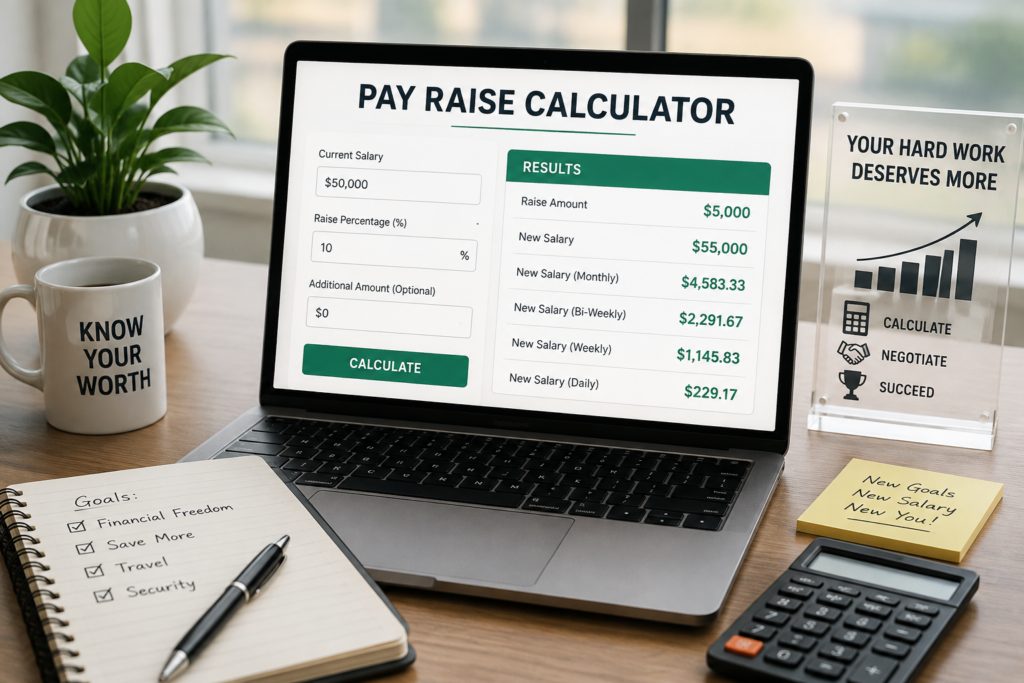
The basic calculation is simple. First, the calculator converts the raise percentage into a decimal. It then multiplies your current salary by that figure.
The formula for the pay increase is:
Pay Increase = Current Salary × Raise Percentage ÷ 100
The new salary is then:
New Salary = Current Salary + Pay Increase
You can also use a shorter formula:
New Salary = Current Salary × (1 + Raise Percentage ÷ 100)
For instance, suppose your current salary is £40,000 and your employer offers a 7% raise. The increase would be £2,800. Your new gross salary would be £42,800.
How to Calculate a Pay Rise
Calculating a pay rise by hand only takes a few steps. Start with your current annual salary. Next, find the percentage increase offered by your employer.
Multiply your salary by the percentage and divide the result by 100. This gives you the extra amount you will earn over a year.
Finally, add that increase to your current salary. The total is your new annual gross pay.
The same method works for hourly pay. If you earn £15 per hour and receive a 5% increase, your new hourly rate would be £15.75.
Pay Raise Calculator Example
Consider an employee earning £32,000 per year. Their employer offers a 6% pay rise.
A 6% increase on £32,000 equals £1,920. Adding this amount to the existing salary gives a new annual salary of £33,920.
The employee therefore receives an extra £1,920 in gross annual pay.
If you want to understand the monthly difference, divide the annual increase by 12. In this example, £1,920 divided by 12 equals £160 per month before deductions.
This example shows why a percentage can be easier to understand when you convert it into actual pounds.
How to Calculate Your New Monthly Salary
A pay raise is often discussed as an annual percentage, but many employees think about their monthly income.
You can calculate the new monthly gross salary by dividing the new annual salary by 12. This gives a basic monthly figure before tax and other deductions.
For example, a new annual salary of £36,750 gives a gross monthly salary of £3,062.50.
Your payslip may show a different net amount. That is because gross pay is not the same as the money that reaches your bank account.
Pay Rise Percentage vs Actual Increase
A percentage pay rise tells you how much your salary has increased relative to your previous pay. The actual increase tells you the extra money in pounds.
Both figures are useful.
A 5% raise sounds the same for everyone, but the cash increase depends on the starting salary. Someone earning £25,000 would receive £1,250 from a 5% raise. Someone earning £50,000 would receive £2,500.
That is why it helps to convert a percentage increase into a cash amount when reviewing a job offer or salary review.
How a Pay Raise Can Affect Take-Home Pay
Your gross salary is only part of the picture. A higher salary can change the amount you receive after deductions.
Your take-home pay may include deductions for income tax, National Insurance, workplace pension contributions, student loan repayments, and other payments that apply to you.
As a result, a 5% gross pay rise does not necessarily mean that your bank balance will increase by exactly 5%.
A pay raise calculator can show the gross increase clearly. For a more detailed estimate of net income, you may need a calculator that also considers your personal tax and deduction details.
Why Use a Pay Raise Calculator?
A pay raise calculator saves time and reduces simple maths errors. It can also make salary discussions easier.
You can use it before a performance review to understand different raise scenarios. For example, you could compare what a 3%, 5%, or 8% increase would mean in pounds.
The calculator can also help when comparing job offers. Instead of looking only at the percentage increase, you can see the actual annual and monthly difference.
This gives you a clearer view of how a salary change may affect your earnings.
What Information Do You Need?
Most basic pay raise calculators need only two main figures: your current salary and the percentage increase.
Your current salary can be your annual gross salary or another pay amount supported by the calculator. The raise percentage should match the increase offered by your employer.
Some calculators may also let you enter hourly, weekly, or monthly pay. They can then convert the result into another pay period.
For a basic calculation, you do not need your tax details. Those details only become important when estimating take-home pay.
Common Pay Raise Mistakes
One common mistake is confusing the percentage increase with the new salary. A 5% raise does not mean your new salary is 5% of your old salary. It means your salary increases by 5% of the original amount.
Another mistake is calculating the percentage from the wrong starting figure. Always use your current gross pay unless your employer states a different basis.
It is also easy to confuse annual pay with monthly pay. Keep the pay period consistent while calculating, or convert it carefully at the end.
Finally, remember that a gross salary increase is not the same as a net pay increase. Deductions can affect your final take-home amount.
Can You Use a Pay Raise Calculator for Hourly Pay?
Yes. The same percentage formula works with hourly wages.
Suppose your current hourly rate is £14 and you receive a 4% increase. The pay increase is £0.56 per hour, giving you a new rate of £14.56.
You can then estimate your weekly or annual gross earnings based on your working hours.
Your actual earnings can vary if your hours change or if you receive overtime, bonuses, commission, or other forms of pay.
Can You Calculate a Pay Rise From the Old and New Salary?
Yes. You can also work backwards when you know your old and new salaries.
The formula is:
Pay Rise Percentage = (New Salary − Old Salary) ÷ Old Salary × 100
For example, if your salary increases from £30,000 to £31,500, the difference is £1,500.
Divide £1,500 by £30,000 and multiply by 100. The result is a 5% pay rise.
This method is useful when checking a new employment contract or comparing salary figures on different payslips.
Pay Raise Calculator for Salary Negotiations
A pay raise calculator can also help during salary negotiations.
Before discussing your target salary, calculate several possible outcomes. This lets you understand the difference between your current salary and each proposed figure.
For example, you may want to know what a 4%, 6%, or 10% increase would mean in actual pounds. Seeing the numbers can help you set a realistic target.
Remember that salary negotiations can involve more than base pay. Bonuses, pension contributions, holiday allowance, flexible working, and other benefits can also affect the overall value of an offer.
Conclusion
A pay raise calculator gives you a quick way to understand the financial effect of a salary increase. Enter your current pay and raise percentage to calculate the extra amount and your new gross salary.
The basic formula is straightforward, but the result becomes much more useful when you also consider monthly pay and potential deductions.
Whether you are checking a workplace pay rise, preparing for a salary review, or comparing a new job offer, converting percentages into real pound amounts can make your decision easier.
FAQs
What is a pay raise calculator?
A pay raise calculator works out how much your salary increases after a percentage pay rise. It can show the additional amount and your estimated new gross salary.
How do I calculate a 5% pay rise?
Multiply your current salary by 5 and divide by 100. Add the resulting increase to your current salary to find your new annual gross pay.
How much is a 10% raise on £30,000?
A 10% increase on £30,000 is £3,000. Your new annual gross salary would therefore be £33,000.
How do I calculate my new salary after a pay rise?
Multiply your current salary by one plus the raise percentage divided by 100. For example, a 5% raise means multiplying your salary by 1.05.
Does a pay raise increase take-home pay by the same percentage?
Not always. Your take-home pay depends on deductions such as income tax, National Insurance, pension contributions, and other applicable payments.
Can I use a pay raise calculator for hourly wages?
Yes. A percentage increase can be applied to an hourly rate in the same way as an annual salary. You can then estimate your earnings based on your working hours.
For more updates visit: CALCIQ



Comments 1