

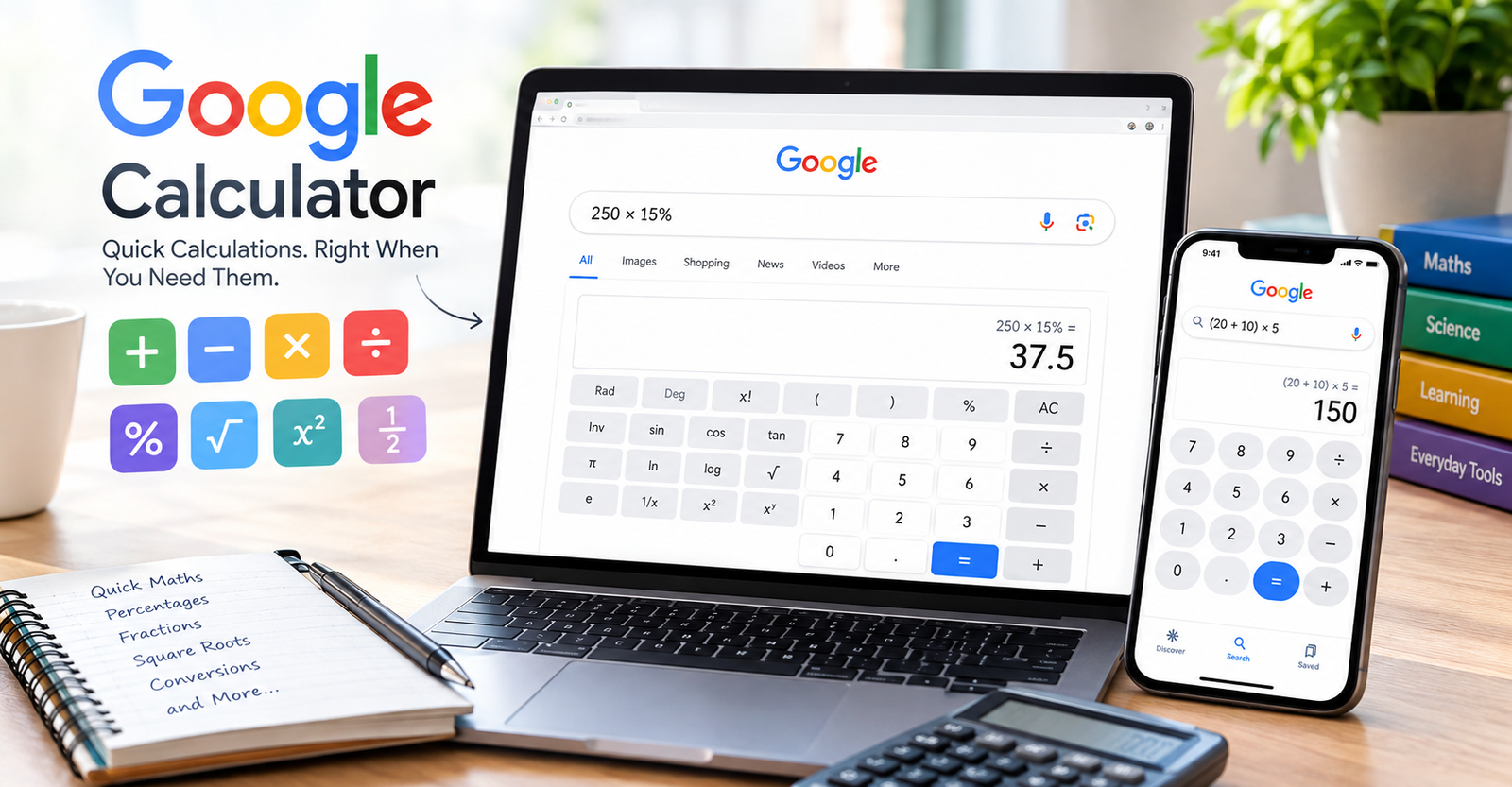
Calculating numbers does not always require a separate calculator app. With Google Calculator, you can enter a calculation directly into Google Search and get an answer within seconds.
It can handle simple maths such as addition and subtraction. It can also work with percentages, fractions, powers, square roots, and more advanced mathematical expressions.
For everyday calculations, this makes Google Calculator a convenient option on a computer, tablet, or smartphone.
What Is Google Calculator?
Google Calculator is the calculator feature available through Google Search. Instead of opening a dedicated calculator application, you can type a mathematical expression into the Google search box.
Google then interprets the expression and displays the result. Depending on the calculation, you may also see an interactive calculator interface that lets you continue working with numbers.
This feature is particularly useful when you need a quick answer while browsing the web. You can use it for schoolwork, shopping calculations, budgeting, measurements, and many other everyday tasks.
How to Use Google Calculator
Using Google Calculator is straightforward. Open Google Search and enter the calculation you want to solve.
For example, you can type 25 + 75 into the search box. Google will calculate the expression and show the answer.
You can also enter more complex expressions. For instance, 250 × 15% can be used to calculate 15% of 250.
Google understands common mathematical operators and expressions. This means you do not always need to enter calculations in the same format you would use on a physical calculator.
What Can Google Calculator Calculate?

Google Calculator can handle many common mathematical operations. Basic arithmetic includes addition, subtraction, multiplication, and division.
You can also use it for percentages, decimals, fractions, powers, and square roots. More advanced mathematical expressions can be entered when you need a more specialised calculation.
For example, typing sqrt(144) can help calculate the square root of 144. Similarly, expressions involving powers can be entered directly into Google Search.
The exact way Google displays a result can depend on the expression you enter. However, the basic idea remains the same: enter the mathematical problem and let Google calculate it.
Google Calculator for Percentages
Percentage calculations are among the most useful things you can perform with an online calculator.
Suppose you want to calculate 20% of £150. You can enter 150 × 20% into Google Search to find the result.
You can also use percentages when working out discounts. If an item costs £80 and has a 25% discount, calculating 80 × 25% gives you the discount amount. You can then subtract that amount from the original price.
This can be useful when shopping online or comparing prices.
Google Calculator for Fractions and Decimals
Fractions can sometimes be difficult to calculate manually, especially when several operations are involved. Google Calculator can make these calculations quicker.
You can enter fractional expressions and ask Google to calculate them. Decimal calculations can also be performed directly in the search box.
This is useful for students, professionals, and anyone who regularly works with numerical values.
For more complicated problems, it is still important to check that the expression has been entered correctly. A calculator will calculate the expression you provide, but an incorrectly entered problem can produce an incorrect result.
Using Google Calculator for Scientific Maths
Google Calculator can also be useful for certain scientific and mathematical calculations.
Depending on the expression, you can work with square roots, powers, trigonometric functions, and other mathematical operations. This makes it more versatile than a basic four-function calculator.
Students can use these features for homework and revision, while professionals may find them useful for quick calculations during everyday work.
For highly specialised mathematical or scientific work, however, dedicated software may provide more advanced functionality.
Google Calculator on Mobile Devices
Google Calculator can be especially convenient on smartphones because you may not need to install another application.
Open your preferred browser and search for the calculation you need. Google can display the answer directly within the search results.
The calculator interface may also allow you to continue entering numbers and mathematical operations.
This makes Google Calculator useful when you are travelling, shopping, studying, or working away from your computer.
Google Calculator vs a Calculator App
A calculator app and Google Calculator can both solve mathematical problems, but they are useful in slightly different situations.
Google Calculator is convenient when you are already using Google Search. You can enter a calculation without switching to another application.
A dedicated calculator app can be better when you need to perform many calculations repeatedly or when you want to use a calculator without opening a browser.
For a quick calculation, however, Google Calculator is often one of the simplest options available.
Is Google Calculator Free?
Google Calculator is available as part of Google Search and does not require you to purchase a separate calculator.
You can use Google Search to perform many mathematical calculations without downloading additional software.
Your experience can vary depending on the device, browser, search interface, and type of calculation. Some calculations may display a calculator interface, while others may simply show the result.
Common Problems When Using Google Calculator
Sometimes Google may not interpret a calculation in the way you expect. This can happen when an expression contains unfamiliar symbols, complicated formatting, or ambiguous notation.
Using standard mathematical operators can make your calculation easier for Google to understand.
Parentheses are also useful for controlling the order of operations. For example, (20 + 10) × 5 clearly tells the calculator to add the numbers before multiplying.
If the result looks unexpected, check the expression carefully and enter it again.
Why Use Google Calculator?
The biggest advantage of Google Calculator is convenience. You can access it while using Google Search without installing dedicated software.
It is useful for quick arithmetic, percentages, fractions, powers, square roots, and other everyday mathematical tasks.
It can also save time when you need an answer immediately. Instead of calculating a problem manually, you can enter the expression and receive a result almost instantly.
Conclusion
Google Calculator is a convenient way to perform mathematical calculations directly through Google Search. It can handle simple arithmetic as well as a range of more advanced expressions.
Whether you need to calculate a percentage, solve a basic equation, work with fractions, or check a mathematical result, it can provide a quick solution.
For everyday calculations, Google Calculator is a useful tool that removes the need to open a separate calculator application.
FAQs
What is Google Calculator?
Google Calculator is the calculator feature available through Google Search. It allows users to enter mathematical expressions and receive calculated results directly in the search results.
How do I open Google Calculator?
Open Google Search and enter a mathematical calculation into the search box. Google can display the result and, for supported calculations, an interactive calculator interface.
Is Google Calculator free?
Yes. Google Calculator is available through Google Search without requiring you to purchase a separate calculator.
Can Google Calculator calculate percentages?
Yes. You can enter percentage expressions into Google Search. For example, entering 200 × 15% calculates 15% of 200.
Can I use Google Calculator on my phone?
Yes. You can use Google Search on a smartphone to enter mathematical calculations and receive results.
Can Google Calculator solve fractions?
Yes. Google Calculator can work with fractional expressions and other numerical calculations. Enter the fraction or mathematical expression into Google Search.
For more updates visit: CALCIQ



Comments 1