


A scientific calculator helps you solve advanced maths problems. It does much more than a basic calculator.
You can use it for powers, roots, fractions, logarithms and trigonometry. It can also work with scientific notation and other maths functions.
Students often use a scientific calculator at school and college. It can also help teachers, engineers, scientists and other professionals.
An online scientific calculator gives you many of the same tools. You can use one on a computer, tablet or phone without carrying a physical calculator.
What Is a Scientific Calculator?
A scientific calculator is a calculator with advanced maths functions. A basic calculator can handle simple arithmetic. A scientific calculator can handle much more.
For example, you can use it to find a square root or calculate a power. You can also work with sine, cosine, tangent and logarithms.
Most scientific calculators have a similar layout. However, the buttons and functions can vary between models.
Online calculators may also have a different design. The main functions still work in much the same way.
What Can a Scientific Calculator Do?
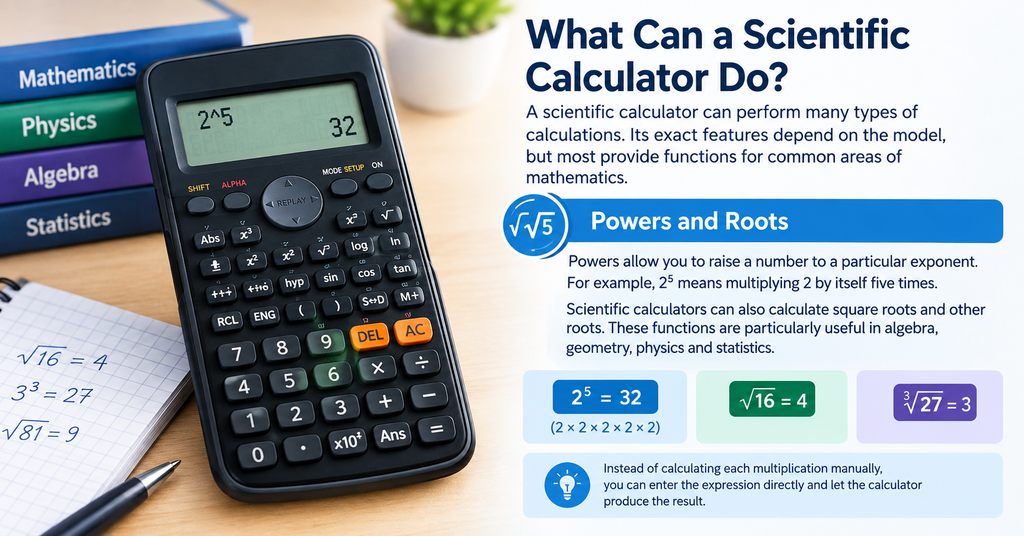
A scientific calculator can solve many types of maths problems. The exact features depend on the calculator model.
Most models include powers, roots, fractions and trigonometric functions. Many also include logarithms and scientific notation.
Powers and Roots
Powers let you raise a number to another power. For example, 2³ means 2 multiplied by itself three times.
A scientific calculator can work out powers in seconds. You can also use it to find square roots and other roots.
These functions help with algebra, geometry, physics and other maths problems.
Trigonometric Functions
Scientific calculators usually include sine, cosine and tangent. These functions are important in trigonometry.
They are also useful in physics, engineering and many other subjects.
You must choose the right angle mode before using these functions. Use degree mode for angles given in degrees. Use radian mode when the question uses radians.
The wrong mode can give you the wrong answer.
Logarithms and Exponents
Most scientific calculators include logarithm functions. You may see buttons such as log and ln.
These functions appear in many maths and science problems. They can also help with growth and decay calculations.
The calculator makes these calculations much faster than doing them by hand.
Fractions and Decimals
Many scientific calculators can work with fractions. Some models can also change fractions into decimals.
This feature helps with algebra and other maths questions. It also makes it easier to check your work.
How to Use a Scientific Calculator
A scientific calculator may look complex at first. However, the main functions are easy to learn.
Start with the number keys and basic maths buttons. Then find the buttons for powers, roots, trigonometry and logarithms.
Some buttons have more than one function. You may need to press a second function key to use them.
Always check your calculation before you press the equals button. A small input mistake can change the final answer.
Scientific Calculator Order of Operations
A scientific calculator follows the normal order of mathematical operations. This helps it solve complex expressions correctly.
Brackets can change the order of a calculation. For this reason, use them when you need to group numbers or operations.
For example, a calculation with brackets may produce a different answer from one without them.
You should understand the order of operations before using a scientific calculator. This helps you enter each problem correctly.
Why Does Angle Mode Matter?
Angle mode matters when you use trigonometric functions. Your calculator may have degree, radian and other settings.
Choose the setting that matches the question.
If a question gives an angle in degrees, use degree mode. If it uses radians, switch to radian mode.
Many incorrect trigonometry answers come from using the wrong angle mode. Always check the display before starting the calculation.
Scientific Notation on a Scientific Calculator
Scientific notation makes very large and very small numbers easier to write.
For example, you can write 300,000 as 3 × 10⁵. This format is common in science, physics and chemistry.
A scientific calculator can work with numbers in scientific notation. It can also display very large or very small answers in this format.
This saves time and reduces the chance of typing too many zeros.
Scientific Calculator for Students
A scientific calculator can help students with many maths and science subjects.
Students may use one for algebra, geometry, trigonometry and statistics. It can also help with physics and chemistry calculations.
GCSE students may use functions such as powers, roots and trigonometry. A-level students may need more advanced functions.
However, you should not rely on the calculator alone. Learn the maths method first, then use the calculator to check your answer.
Common Scientific Calculator Mistakes
Entering the wrong numbers is one of the most common mistakes. Even a small typing error can change the result.
Using the wrong angle mode can also cause problems. This happens most often with trigonometry questions.
Forgetting brackets can change the meaning of a calculation. You may also press the wrong function key without noticing.
Take a moment to check your input. This simple habit can help you avoid many errors.
Online Scientific Calculator vs Physical Calculator
An online scientific calculator can be useful when you work on a computer or phone. You do not need to carry a physical calculator.
A physical calculator can be more useful in exams or classrooms. It also works without an internet connection.
Your choice depends on what you need. An online calculator works well for homework and quick checks. A physical calculator may suit regular study and exams.
Always check exam rules before using any calculator in an assessment.
When Should You Use a Scientific Calculator?
Use a scientific calculator when a problem needs more than basic arithmetic.
It works well for powers, roots, logarithms and trigonometry. It can also help with fractions, scientific notation and longer calculations.
For simple addition or subtraction, a basic calculator may be enough. For more advanced maths, a scientific calculator gives you more useful tools.
Conclusion
A scientific calculator makes advanced maths easier to handle. It can solve problems with powers, roots, fractions, logarithms and trigonometry.
You can also use it for scientific notation and other advanced functions.
To get accurate results, enter each calculation carefully. Check the angle mode and use brackets when needed.
Whether you study maths, physics or chemistry, a scientific calculator can save time and help you check your work.
FAQs
What is a scientific calculator used for?
A scientific calculator helps with advanced maths. You can use it for powers, roots, fractions, logarithms, trigonometry and scientific notation.
Is a scientific calculator better than a basic calculator?
A scientific calculator has more functions than a basic calculator. A basic calculator works well for simple maths. A scientific calculator suits more advanced problems.
Can a scientific calculator solve trigonometry?
Yes. Most scientific calculators have sine, cosine and tangent functions. You can use them to solve many trigonometry problems.
What mode should a scientific calculator be in?
The correct mode depends on the question. Use degree mode for degrees and radian mode for radians.
Can a scientific calculator calculate fractions?
Yes. Many scientific calculators can calculate fractions. Some can also convert fractions into decimals.
Can I use an online scientific calculator?
Yes. You can use an online scientific calculator on a computer, tablet or phone. It can provide many of the same functions as a physical calculator.
For more updates visit: CALCIQ


