

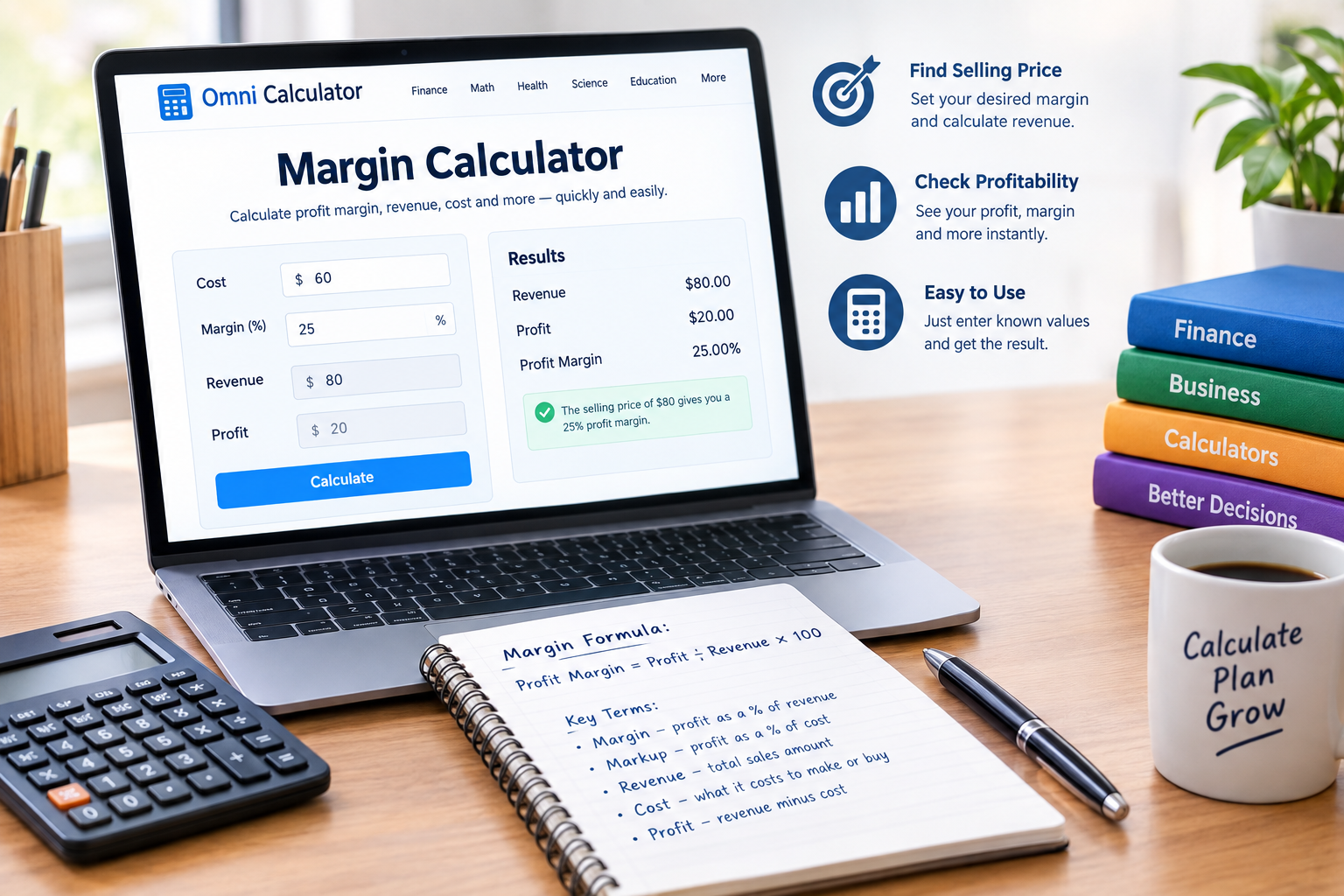
If you need a quick way to calculate profit margins, Omni Calculator offers a simple online solution. Its margin calculator can work with cost, revenue, profit, and margin.
You do not need to solve complex equations by hand. Instead, you can enter known values and calculate the missing figure.
The tool can help business owners, sellers, students, and anyone working with pricing. It can also make it easier to understand the difference between margin and markup.
What Is Omni Calculator?
Omni Calculator is an online collection of calculators covering many everyday and specialist calculations. The platform includes tools for finance, maths, health, science, education, and other areas.
Its finance section includes several tools for pricing and business calculations. These include margin, markup, gross margin, VAT, sales tax, and related calculators.
The omni calculator approach focuses on entering known values and letting the calculator solve the remaining figure. This can save time when you need a quick calculation.
For business users, these tools can make pricing calculations easier to check before making decisions.
What Is the Omni Calculator Margin Tool?
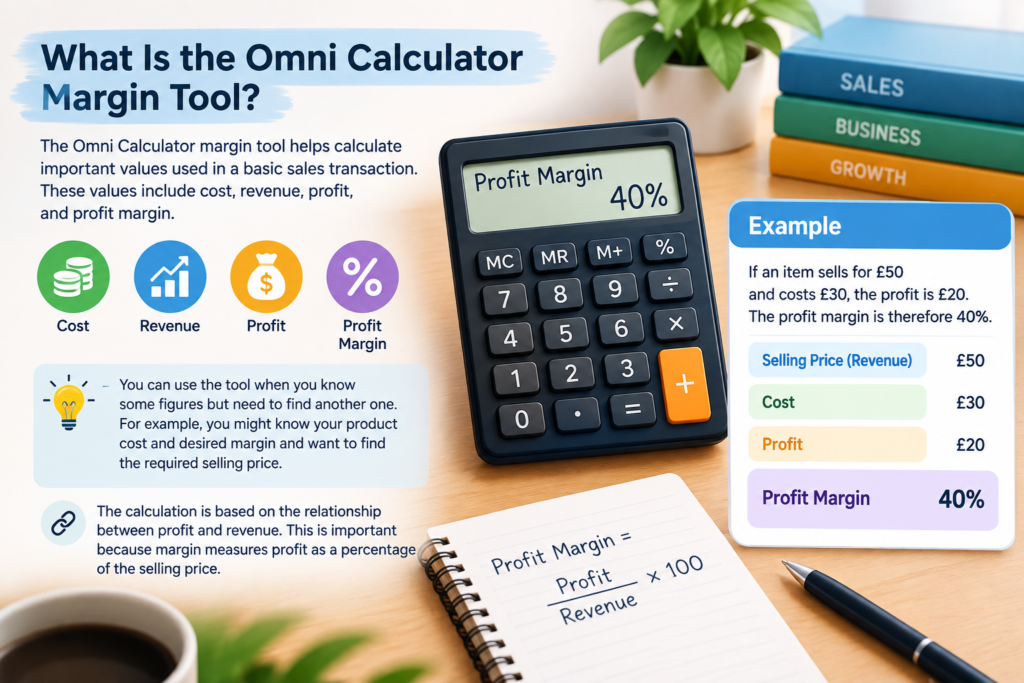
The Omni Calculator margin tool helps calculate important values used in a basic sales transaction. These values include cost, revenue, profit, and profit margin.
You can use the tool when you know some figures but need to find another one. For example, you might know your product cost and desired margin and want to find the required selling price.
The calculation is based on the relationship between profit and revenue. This is important because margin measures profit as a percentage of the selling price.
For example, if an item sells for £50 and costs £30, the profit is £20. The profit margin is therefore 40%.
How Do You Calculate Profit Margin?
The basic profit margin formula is:
Profit margin = (Profit ÷ Revenue) × 100
First, calculate your profit by subtracting the cost from the revenue.
For example, imagine you sell a product for £80. Your cost is £50. Your profit is therefore £30.
The calculation becomes:
Profit margin = (£30 ÷ £80) × 100 = 37.5%
Your profit margin is 37.5%.
This formula is useful when you already know your selling price and costs. However, the Omni Calculator margin tool can also work backwards from a desired margin to help find a suitable selling price.
How to Use Omni Calculator Margin
The margin calculator uses several connected values. These include cost, margin, revenue, and profit.
Suppose a product costs £60 and you want a 25% profit margin.
A 25% margin means the cost represents 75% of the selling price. Therefore, you can calculate the required revenue as:
Revenue = £60 ÷ (1 − 0.25)
This gives:
Revenue = £80
The resulting profit is £20. Since £20 is 25% of £80, the target margin is achieved.
This type of calculation can be useful when setting prices for products or services.
Margin vs Markup
Margin and markup sound similar, but they use different bases.
Profit margin compares profit with revenue. Markup compares profit with cost.
For example, suppose a product costs £80 and sells for £100. The profit is £20.
The margin is:
£20 ÷ £100 × 100 = 20%
The markup is:
£20 ÷ £80 × 100 = 25%
Therefore, a 25% markup does not mean a 25% margin.
This difference matters when setting prices. Confusing the two can lead to a selling price that does not produce the expected profit.
Why Profit Margin Matters
Profit margin gives you a percentage view of profitability. It shows how much of your revenue remains after the relevant costs.
A business can use margin calculations when reviewing product prices. They can also help when comparing different products or pricing scenarios.
However, a margin figure does not tell you everything about a business. Operating expenses, taxes, financing costs, wages, and other expenses can affect final profitability.
For that reason, margin should be viewed as one financial measure rather than a complete picture of business performance.
Omni Calculator Margin Example
Consider a small online retailer selling a product for £120.
The product costs the retailer £75.
The profit is:
£120 − £75 = £45
The profit margin is:
£45 ÷ £120 × 100 = 37.5%
The retailer therefore has a 37.5% gross margin based on these figures.
Now imagine the retailer wants to maintain a 40% margin instead.
The required selling price would be:
£75 ÷ (1 − 0.40) = £125
At a selling price of £125, the profit would be £50.
The margin would then be:
£50 ÷ £125 × 100 = 40%
This example shows why margin calculations can be useful when adjusting product prices.
When Should You Use an Online Margin Calculator?
An online margin calculator can help whenever you need to check pricing or profitability quickly.
Retailers can use it to work out selling prices. Freelancers can use similar calculations when setting service rates. Students can use it to understand business finance concepts.
It can also help when reviewing discounts. A lower selling price can reduce the margin unless the cost also falls.
Using a calculator can reduce manual arithmetic and make it easier to test different numbers.
Common Mistakes When Calculating Margin
One common mistake is using cost instead of revenue as the denominator. That calculation gives markup rather than margin.
Another mistake is confusing profit with revenue. Profit is the difference between revenue and cost, while revenue is the amount received from sales.
It is also important to check whether your costs represent only direct costs or include other business expenses. Different margin measures can use different cost definitions.
Finally, always check whether you entered percentages correctly. A 40% margin should be treated as 0.40 when using a decimal-based formula.
Is Omni Calculator Margin Accurate?
A calculator can produce an accurate mathematical result when the correct figures and formula are entered.
However, the result depends on the information you provide. If your cost figure is incomplete or your revenue figure is incorrect, the calculated margin will also be incorrect.
For business decisions, it is therefore important to understand what each input represents. A calculator can handle the mathematics, but you still need to provide appropriate financial data.
Conclusion
Omni Calculator provides an accessible way to handle many types of calculations, including business and finance problems.
The omni calculator margin tool focuses on cost, revenue, profit, and margin. It can help you calculate a selling price or check the margin on an existing sale.
Remember that margin and markup are different. Margin measures profit against revenue, while markup measures profit against cost.
Once you understand this difference, margin calculations become much easier to use for everyday pricing and business analysis.
FAQs
What is Omni Calculator?
Omni Calculator is an online platform containing calculators for finance, mathematics, health, science, and many other subjects. Its tools help users solve calculations by entering known values.
What is the Omni Calculator margin calculator?
The Omni Calculator margin calculator helps calculate cost, revenue, profit, and profit margin. You can use known values to work out a missing figure.
What is the formula for profit margin?
The standard formula is profit margin = profit divided by revenue, multiplied by 100. Profit is normally calculated by subtracting cost from revenue.
What is a 20% profit margin?
A 20% profit margin means that profit represents 20% of revenue. For example, £20 profit on £100 revenue produces a 20% margin.
Is margin the same as markup?
No. Margin measures profit against revenue, while markup measures profit against cost. Therefore, the percentages can be different for the same transaction.
How do I calculate a 30% margin?
Convert 30% to 0.30 and subtract it from 1. Then divide the product cost by 0.70. The result is the selling price needed for a 30% margin.
For more updates visit: CALCIQ


