

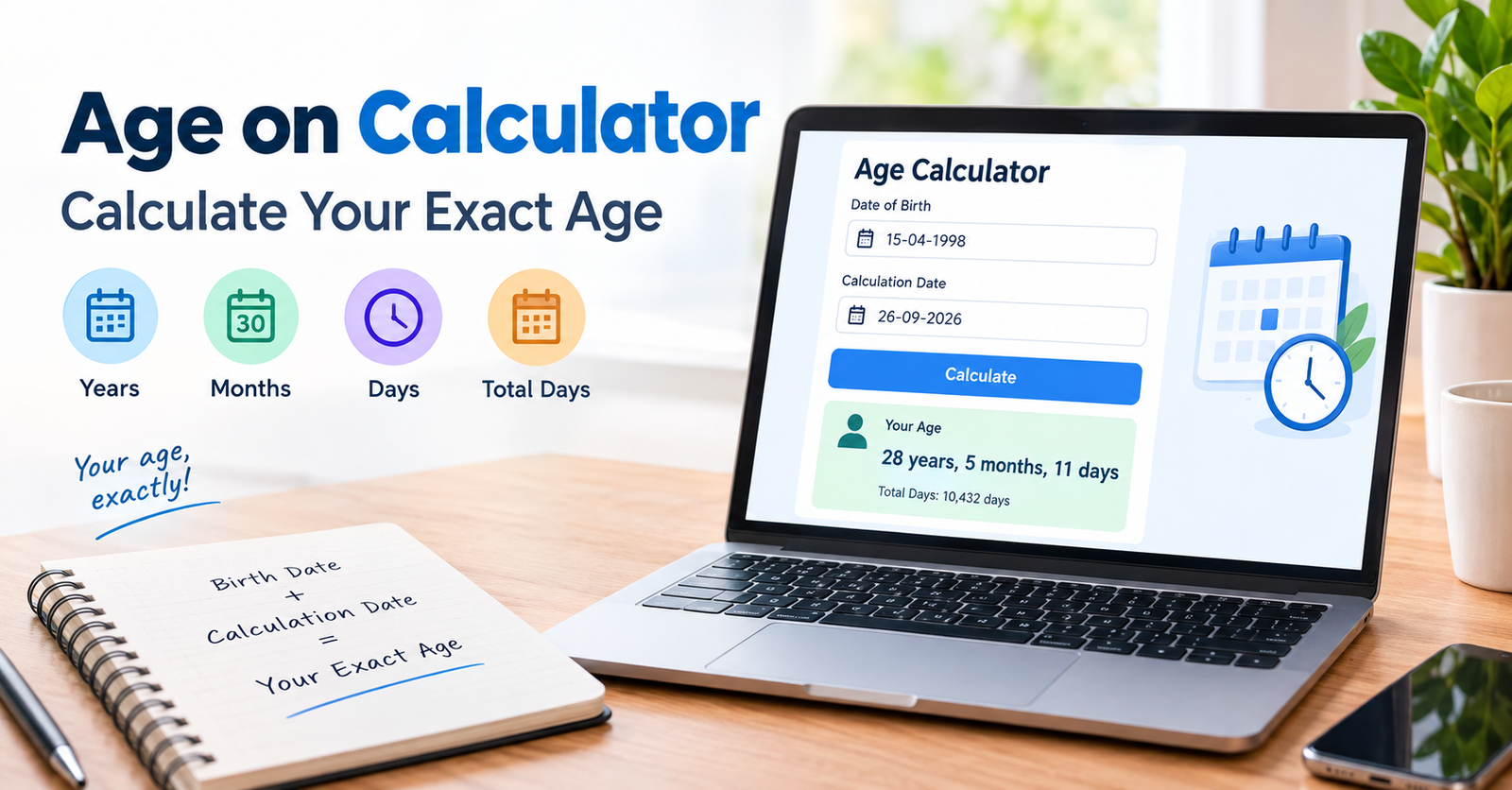
Finding your exact age can be harder than simply subtracting one year from another. Your birthday, the current date, and the number of days in each month all matter.
An age on calculator makes this process much easier. You enter your date of birth and a calculation date. The tool then works out your age based on those dates.
You can usually see your age in years, months, and days. Some calculators also show the total number of days you have lived. This can be useful when you need a precise age rather than an estimate.
What Is an Age on Calculator?
An age on calculator is an online tool that calculates how old a person is between two dates. Most people use their date of birth as the starting date.
The calculator compares that date with today’s date or another date you choose. It then determines the completed years, months, and days between them.
For example, a person born on 15 March 2000 turns 26 on 15 March 2026. If the calculation date is 10 March 2026, the person is still 25.
This is why exact age calculations need more than simple year subtraction.
How Does an Age Calculator Work?
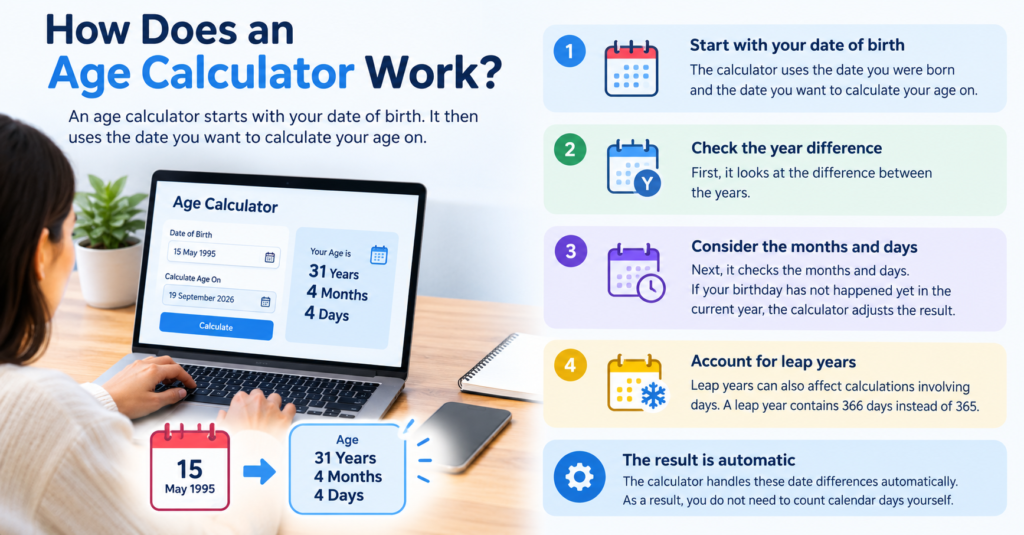
An age calculator starts with your date of birth. It then uses the date you want to calculate your age on.
First, it checks the difference between the years. Next, it considers the months and days. If your birthday has not happened yet in the current year, the calculator adjusts the result.
Leap years can also affect calculations involving days. A leap year contains 366 days instead of 365.
The calculator handles these date differences automatically. As a result, you do not need to count calendar days yourself.
How to Use an Age on Calculator
Using an age calculator is usually simple. Enter your date of birth in the required date fields.
Next, choose the date on which you want to know your age. If you want your current age, select today’s date if the calculator does not fill it automatically.
After entering the dates, start the calculation. The result should show your completed age.
Some tools provide more detailed results. For instance, they may show years, months, and days separately. Others may provide the total number of days between the two dates.
How to Calculate Age Manually
You can calculate your age without an online tool. Start by comparing your birth year with the year of the date you are checking.
Suppose someone was born on 15 March 2000. On 15 March 2026, that person is exactly 26 years old.
Now imagine the date is 10 March 2026. The person’s 26th birthday has not happened yet. Therefore, their age is still 25.
For a more exact result, you must also compare the months and days. This is where manual calculations can become confusing.
An age on calculator handles these date differences for you. It can therefore reduce mistakes when you need an exact result.
Why Exact Age Matters
Knowing your exact age can be useful in everyday situations. Many forms, applications, and services ask for your date of birth or current age.
Age can also matter when checking eligibility. Some activities and services use specific age requirements.
In other cases, you may simply want to know your age on a particular date. This can be useful for birthdays, anniversaries, historical events, or personal records.
A precise calculator can also help when you want to know your age in years, months, and days instead of whole years.
Age on Calculator for a Specific Date
You do not always need to calculate your age today. Sometimes, you may want to know how old you were on a past or future date.
For example, you might want to calculate your age when a particular event happened. You can enter your birth date and the event date into the calculator.
The same method works for a future date. Enter your date of birth and the future date to see your age at that time.
This makes an age calculator useful for more than checking your birthday. It can compare your age with almost any date.
Age in Years, Months, and Days
A standard age result often gives your age in completed years. However, an exact result can provide more detail.
For example, a result might show an age of 26 years, 4 months, and 12 days. This gives a clearer picture of the time between two dates.
Months are not all the same length. Some have 30 days, while others have 31. February also has fewer days than other months.
Because of these differences, calculating an exact age manually can take extra care. An age on calculator can process the calendar dates consistently.
Common Mistakes When Calculating Age
One common mistake is subtracting the birth year from the current year without checking the birthday. This can produce an age that is one year too high.
Another mistake is ignoring the exact day and month. These details matter when you need an accurate result.
People can also confuse their birth date with the date on which they want to calculate their age. These are two separate dates.
Finally, manual calculations can become difficult around leap years and the end of a month. Using an age calculator can help avoid these problems.
Who Can Use an Age Calculator?
Anyone can use an age calculator when they need to calculate the time between two dates. It does not require advanced mathematical knowledge.
Students can use it to understand dates and calendar calculations. Adults can use it for forms, records, birthdays, and personal planning.
Families may also use an age calculator to check the exact age of children or relatives. The same tool can calculate ages for people of any age.
The main requirement is an accurate date of birth and a valid calculation date.
Age on Calculator vs Simple Year Subtraction
Simple year subtraction only gives a rough result. It does not automatically tell you whether the birthday has already occurred.
An age calculator considers the full dates instead. This produces a more precise result.
For example, subtracting 2000 from 2026 gives 26. However, a person born late in 2000 may still be 25 during part of 2026.
Therefore, the full date matters. An age on calculator is especially useful when accuracy is important.
Conclusion
An age on calculator provides a simple way to find your exact age between two dates. It can calculate completed years and provide additional detail in months and days.
Unlike simple year subtraction, a date-based calculator considers the actual day and month. This helps avoid common mistakes around birthdays, calendar months, and leap years.
Whether you want to check your current age or calculate your age on a specific date, an age calculator can make the process quick and straightforward.
FAQs
How does an age on calculator calculate my age?
An age on calculator compares your date of birth with a selected calculation date. It then works out the difference in years, months, and days.
Can I calculate my age on a past date?
Yes. Enter your date of birth and the past date you want to check. The calculator can determine how old you were on that date.
Can I calculate my future age?
Yes. You can enter a future date as the calculation date. The result shows how old you will be on that date.
Does an age calculator account for leap years?
Most date-based age calculators account for leap years when calculating the difference between dates. This helps produce a more accurate result.
Why is my calculator age different from simple subtraction?
Simple subtraction does not check whether your birthday has occurred yet. An age calculator uses the complete dates, so the result can differ by one year.
Can an age calculator show months and days?
Many age calculators provide a detailed result in years, months, and days. This gives you a more precise view of your age.
For more updates visit: CALCIQ


